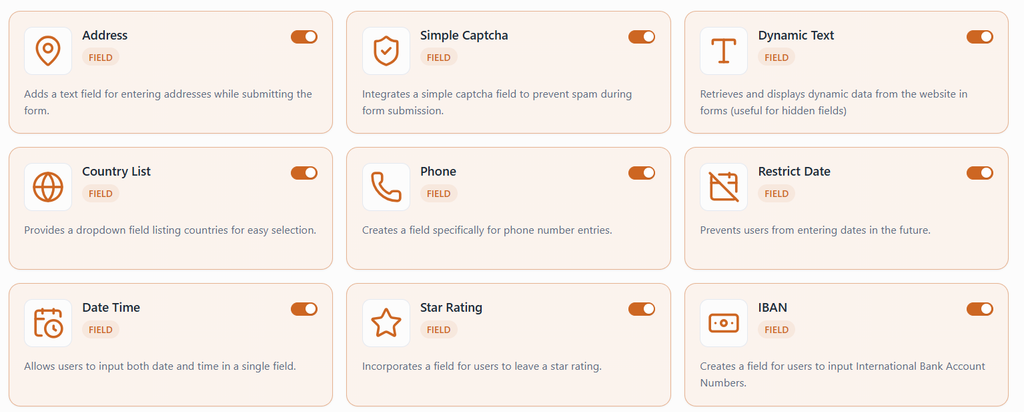
Formrio Addons for WPForms (FAWPF) is a free, modular addon suite that extends WPForms with additional form fields, submission storage, and workflow integrations. It works with both WPForms Lite and WPForms Pro, allowing you to enable only the features you need.
With Formrio Addons, you can add fields such as Phone, Address, Date Time, Country List, and Star Rating, store form submissions in your WordPress database, and connect your forms to external services through Webhooks and Telegram.
Follow the steps below to install and activate Formrio Addons and start using its features in the WPForms form builder.
Installation Steps
Step 1: Install WPForms
Formrio Addons requires WPForms to be installed and activated on your WordPress website.
- Log in to your WordPress admin dashboard.
- Navigate to Plugins → Add New Plugin.
- Search for WPForms.
- Click Install Now next to WPForms.
- Once the installation is complete, click Activate.
You can use either WPForms Lite or WPForms Pro.
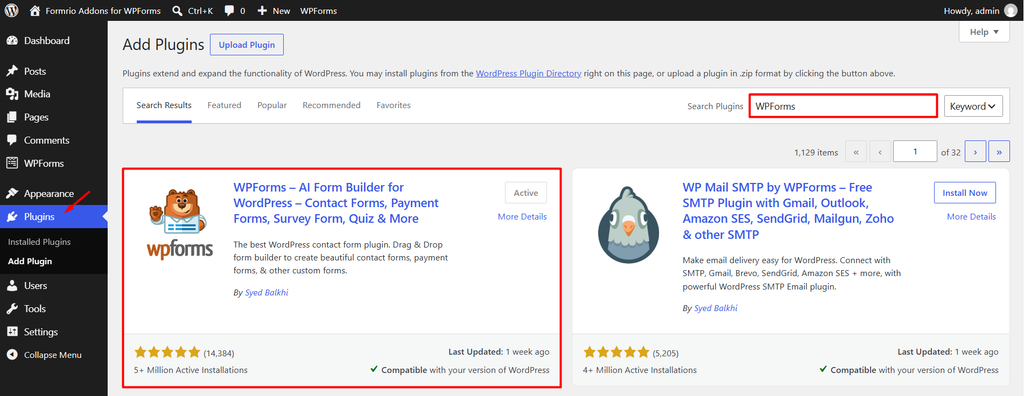
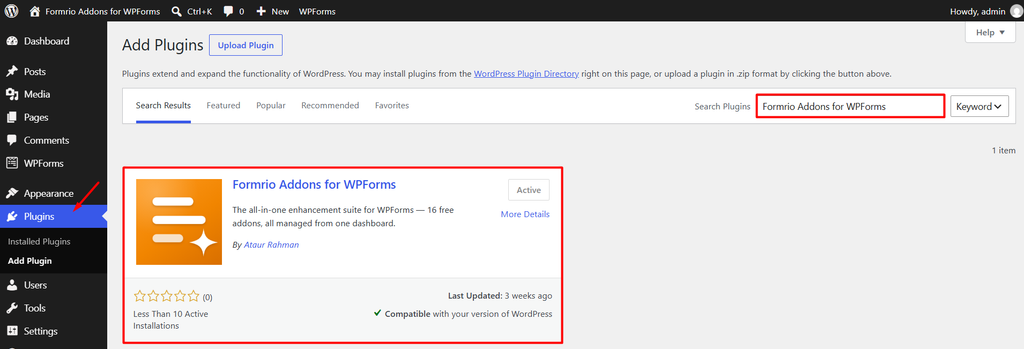
Step 2: Install Formrio Addons for WPForms
Install and activate the Formrio Addons plugin on your website.
- From your WordPress dashboard, navigate to Plugins → Add New Plugin.
- Search for Formrio Addons for WPForms.
- Click Install Now, then click Activate once the installation is complete.
Step 3: Open the Formrio Addons Menu
After activating the plugin:
- Go to your WordPress admin dashboard.
- Locate the WPForms → Formrio Addons menu.
- Open the Addons tab to view the available fields, features, and integrations.
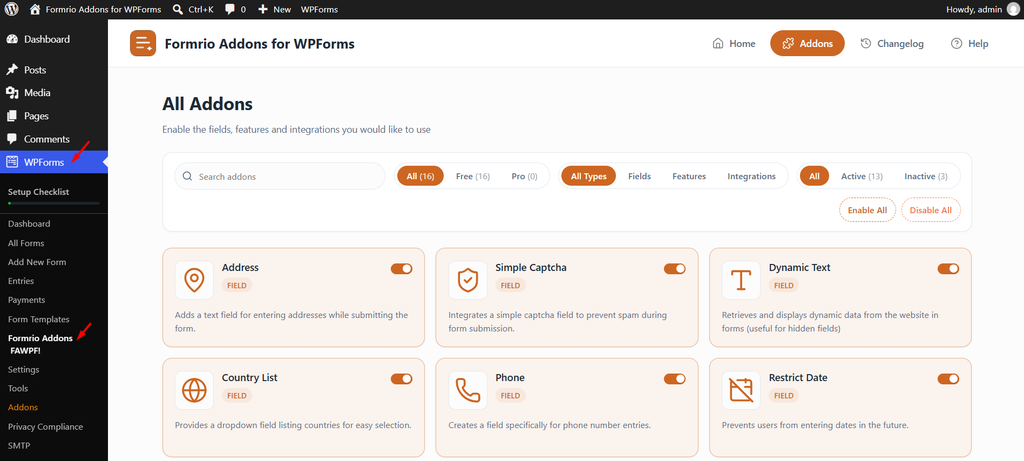
Step 4: Enable the Addons You Need
Formrio Addons provides useful addons that you can activate individually.
- Browse the available addons.
- Enable the addons you want to use, such as Phone, Restrict Date, Database Entries, Webhooks, or Telegram.
- Save or apply your changes if the interface prompts you to do so.
Only enable the features you need for your forms.